Introducing 0DIN Sidekick: Your AI Security Research Companion
In the rapidly evolving world of AI security, researchers need powerful tools to test, analyze, and document vulnerabilities in Large Language Models (LLMs). Today, we're excited to introduce 0DIN Sidekick a browser Add-on/Extension designed specifically for AI jailbreak research and vulnerability discovery. 🔐 0DIN Sidekick Browser Add-on/Extension for LLM security research and jailbreak testing

What is 0DIN Sidekick?
0DIN Sidekick is a comprehensive research tool that streamlines the process of testing AI models for security vulnerabilities. Whether you're a security researcher, red teamer, or AI safety professional, this extension provides everything you need to conduct thorough LLM security assessments.
Core Features
🎯 Multi-LLM Prompter
At the heart of 0DIN Sidekick is a powerful prompting interface that supports multiple AI providers:
- ChatGPT (OpenAI)
- Claude (Anthropic)
- Gemini (Google)
- OpenRouter (Multi-model access)
- More is coming soon!
Simply select your preferred model, enter your API key, and start testing. The prompter makes it easy to send security research prompts and analyze responses in real-time.
🤖 Auto-Detection of Successful Jailbreaks
One of the most innovative features is the automatic detection of successful jailbreak attempts. The extension analyzes LLM responses and intelligently determines whether a prompt successfully bypassed the model's safety guardrails or was refused. This saves researchers countless hours of manual analysis.
🔗 Chain Mode for Advanced Testing
Chain Mode takes your research to the next level by automatically analyzing responses and suggesting follow-up prompts. When an initial attempt is refused or partially successful, the extension:
- Analyzes the response pattern
- Calculates compliance percentage
- Generates intelligent follow-up prompts
- Helps you refine your approach iteratively
This creates a powerful feedback loop that helps researchers discover vulnerabilities more efficiently.
📝 Prompt Templates
Speed up your research with built-in prompt templates. Save your most effective prompts and reuse them across different models and sessions. Perfect for:
- Standardized testing procedures
- Quick jailbreak attempts
- Reproducible research
- Team collaboration
🪙 Token Usage Tracker
Understanding the cost of your research is crucial. The Token Usage Tracker provides real-time monitoring of:
- Total tokens consumed across all API calls
- Cost breakdown by provider and model
- API call count to track your research volume
- Provider-specific statistics showing which models you use most
This transparency helps researchers budget their API usage and make informed decisions about which models to test.
📊 Research History
Never lose track of your discoveries. Every prompt and response is automatically saved to your research history, including:
- Timestamp of each test
- Model used
- Success/failure status
- Full prompt and response data
Search and filter your history to find specific tests or track your progress over time.
🎯 Submit to 0DIN Platform
When you discover a vulnerability, sharing it with the security community is just one click away. The Submit to 0DIN feature allows you to:
- Categorize vulnerabilities (Content Policy, Safety Bypass, Data Leakage, etc.)
- Set severity levels (Critical, High, Medium, Low)
- Add relevant tags for easy discovery
- Document which LLM was tested
- Include full context with prompts and responses
Your submissions help build a comprehensive database of AI vulnerabilities that benefits the entire security research community.
⚙️ Simple Configuration
Getting started is straightforward. The Settings tab provides a clean interface to manage API keys for all supported providers. You'll also need a 0DIN Researcher API key to submit vulnerabilities to the platform (get yours at 0din.ai/users/edit).
Explore AI security with the Scanner Datasheet
The datasheet offers insight into the challenges and solutions in AI security.
Download Datasheet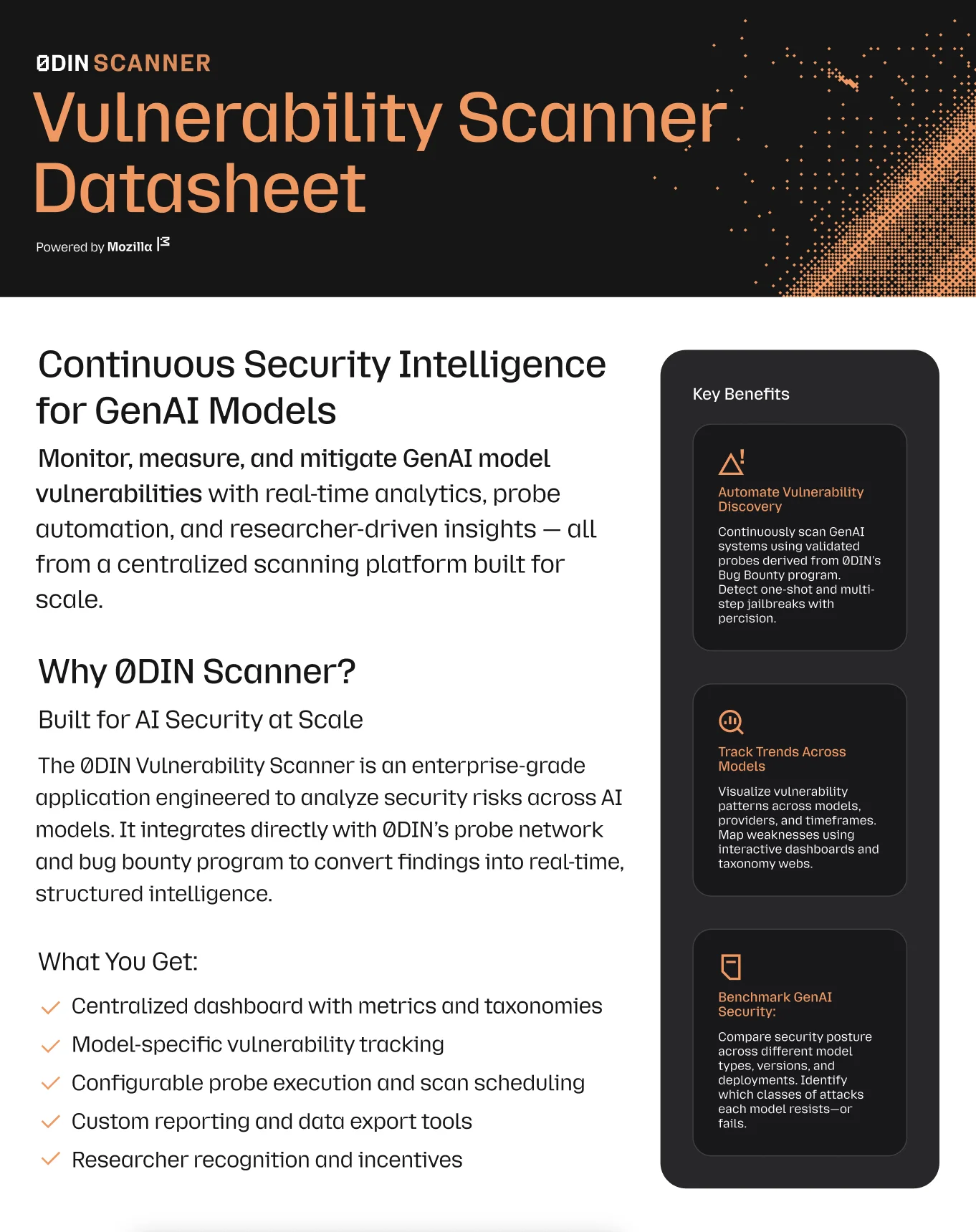
Why 0DIN Sidekick?
For Individual Researchers
- Save time with automated detection and chain mode
- Track costs to stay within budget
- Organize findings with comprehensive history
- Share discoveries with one-click submission
For Security Teams
- Standardize testing with shared prompt templates
- Monitor usage across team members
- Document vulnerabilities systematically
- Contribute to collective knowledge via 0DIN platform
For the AI Security Community
- Collaborative research through shared vulnerabilities
- Reproducible results with detailed documentation
- Trend analysis across different models and providers
- Faster vulnerability disclosure to improve AI safety
Getting Started
- Install the Add-on or extension in Firefox or Chrome
- Configure your API keys in the Settings tab
- Get your 0DIN Researcher API key from 0din.ai/users/edit
- Start testing with the Prompter
- Monitor costs in the Token Usage tab
- Submit findings to share with the community
Safeguard Your GenAI Systems
Connect your security infrastructure with our expert-driven vulnerability detection platform.
Best Practices
- Always test responsibly on your own API keys and authorized systems
- Document your findings thoroughly before submitting
- Use Chain Mode to explore edge cases systematically
- Monitor token usage to optimize your research budget
- Share discoveries to help improve AI safety for everyone
The Future of AI Security Research
As AI models become more powerful and prevalent, security research tools need to keep pace. 0DIN Sidekick represents our commitment to empowering researchers with professional-grade tools that make vulnerability discovery more efficient, systematic, and collaborative.
We're constantly improving the extension based on community feedback. Have ideas for new features? Found a bug? We'd love to hear from you.
Join the 0DIN Community
0DIN Sidekick is more than just a tool, it's your gateway to the 0DIN research platform where security professionals collaborate to make AI safer. Every vulnerability you discover and share helps developers build more robust safeguards and contributes to the collective understanding of AI security.
Ready to elevate your AI security research? Install 0DIN Sidekick today and join the community of researchers pushing the boundaries of what's possible in AI safety.
0DIN Sidekick v1.0 - AI Security Research Made Simple 🔐 0DIN Sidekick https://github.com/0din-ai/sidekick